
Table of Contents
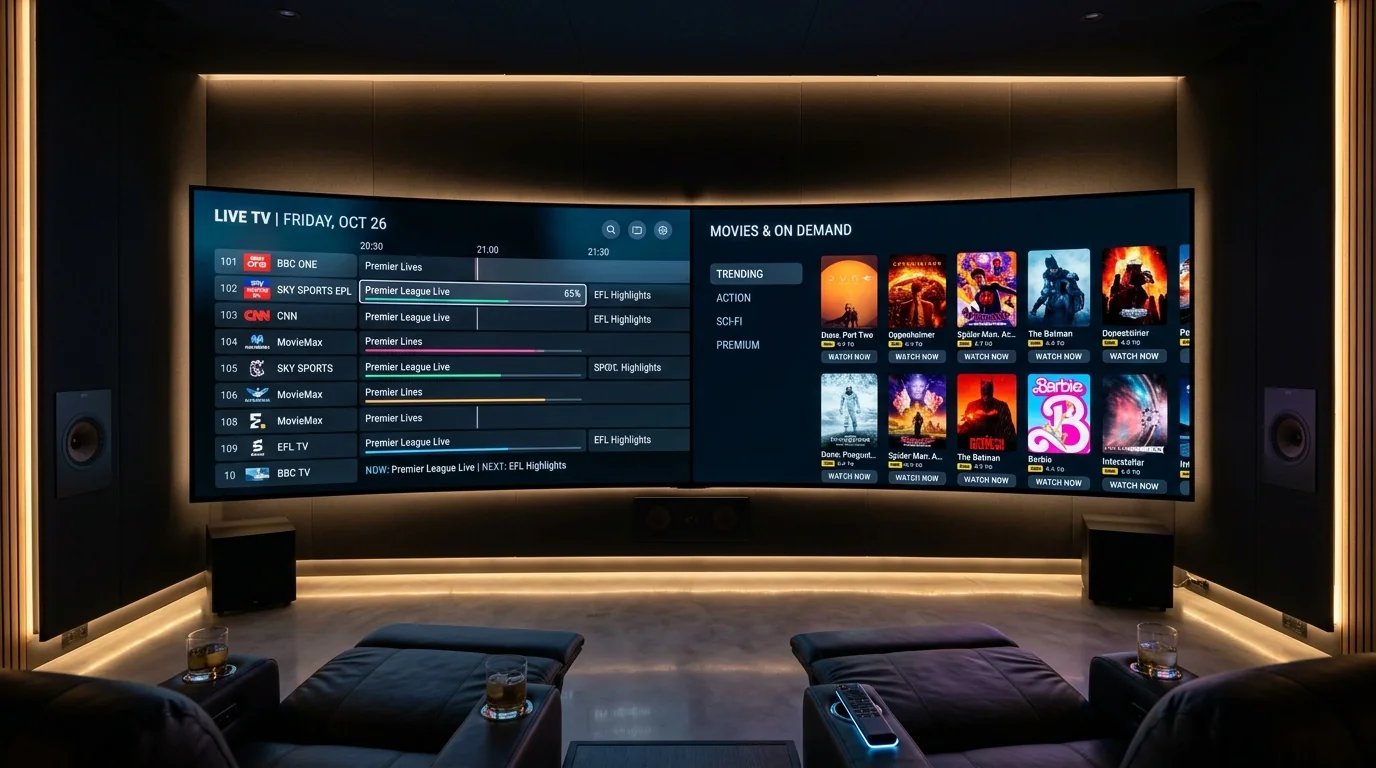
- 1. 1. The Vital Role of the Client Player in IPTV
- 2. 2. Genesis & Philosophy: Armobsoft vs WHMCMS
- 3. 3. User Interface & Visual Ergonomics Compared
- 4. 4. Electronic Programme Guide (EPG) Speed & Caching
- 5. 5. Playback Engines & Channel Zapping Benchmarks
- 6. 6. Multi-View Head-to-Head: 4-Screen Football Testing
- 7. 7. Recording Capabilities: USB OTG & Network SMB/NAS
- 8. 8. On-Demand Movies & TV Series Experience
- 9. 9. Cross-Platform Compatibility: Firestick to Apple TV
- 10. 10. Setup Complexity & Onboarding for Non-Technical Users
- 11. 11. Pricing, Licensing Models & Device Limits
- 12. 12. Remote Control Key Remapping & Channel Shortcuts
- 13. 13. Catch-Up TV Execution & Timeline Scrubbing
- 14. 14. Backup & Restore Profiles: Migrating Across TVs
- 15. 15. Audio Passthrough & Surround Sound (AC3 / EAC3)
- 16. 16. Handling Complex EPG Gaps & Custom XMLTV URLs
- 17. 17. Multi-Account & Multi-Playlist Management
- 18. 18. System Resource Consumption & RAM Footprint
- 19. 19. Smart TV Performance: Samsung / LG vs Firestick
- 20. 20. Channel Cleaning: Numbering & Prefix Stripping
- 21. 21. Security & Privacy: Permissions & Safety
- 22. 22. Head-to-Head Spec Comparison Table
- 23. 23. Scenario-Based Recommendations: Which App Wins?
- 24. 24. Connecting Both Players to VocoTV Xtream Codes API
- 25. 25. Frequently Asked Questions (FAQ)
- 26. 26. Final Verdict & Starting Your 24H Trial
In the world of Internet Protocol Television, your service provider supplies the digital video transport streams, but the client media player application completely dictates how you interact with that content. A high-bandwidth 4K sports stream will feel clunky, frustrating, and prone to stutter if rendered inside a poorly coded video player with sluggish guide rendering. Conversely, pairing an elite streaming network like VocoTV with a world-class player transforms your television into an experience that rivals or exceeds £100/month commercial cable set-top decoders. Across the United Kingdom and Europe, two applications dominate user discussions: IPTV Smarters Pro and TiviMate Premium.
Choose TiviMate Premium if you stream primarily on an Amazon Fire TV Stick, Android TV box, or Nvidia Shield and desire a traditional, lightning-fast cable-style TV guide with 4-screen sports Multi-View and native USB recording. Choose IPTV Smarters Pro if you need a dependable, 100% free multi-platform app that operates seamlessly across iPhones, iPads, Android smartphones, Samsung/LG smart televisions, and Windows PCs.
1. The Vital Role of the Client Player in IPTV
Many newcomers to digital streaming conflate their IPTV subscription with the application they install on their Firestick. It is crucial to separate the two components:
- The IPTV Service Provider (VocoTV): Operates the server infrastructure, satellite downlink stations, real-time hardware encoders, and European Content Delivery Networks (CDNs) that capture, transcode, and broadcast live television signals across the internet.
- The Client Media Player (TiviMate / Smarters): Resides on your local hardware. It parses the provider's Xtream Codes API database, indexes channel categories, downloads electronic programme schedule metadata, decodes audio/video packets on your graphics chip, and provides the navigational remote-control interface.
2. Genesis & Philosophy: Armobsoft vs WHMCMS
The divergent user experiences of these two applications stem directly from their founding design philosophies:
- TiviMate (Armobsoft): Developed by independent developer Arman (Armobsoft), TiviMate was engineered from line one exclusively for large-screen television panels controlled via physical directional remotes. It rejects touch-screen mobile paradigms entirely. Its sole mission is replicating and improving upon the fluid, full-screen EPG timelines found on elite satellite boxes like Sky Q, Virgin Media TiVo, or Dreambox.
- IPTV Smarters Pro (WHMCMS): Developed by enterprise software firm WHMCMS, IPTV Smarters Pro was conceived as a universal media framework. Its interface was built to scale fluidly from a 5-inch smartphone screen to a 65-inch living room television. Consequently, its architecture utilizes a modern dashboard portal with oversized tiles separating Live TV, Movies, Series, Multi-Screen, and Catch-Up.
3. User Interface & Visual Ergonomics Compared
When you launch both applications side-by-side, their visual presentation immediately distinguishes their target audiences:
📺 TiviMate: The Decoder Aesthetic
- Launches directly into the live video stream or full-screen TV guide with zero splash screens.
- Translucent dark overlays display current and upcoming program synopses without blocking live video playback.
- Smooth 60fps guide scrolling with channel logos, progress bars, and high-definition category banners.
- Feels like an authentic £100/mo satellite set-top decoder box.
📱 Smarters Pro: The Portal Aesthetic
- Presents a clean, tiled master dashboard: Live TV, Movies, Series, and Multi-Screen.
- Category lists display horizontally or in vertical split panes, similar to streaming apps like Netflix.
- Channel browsing requires clicking into specific category directories (e.g., UK Sports) before seeing feeds.
- Highly accessible for non-technical users and family members accustomed to mobile apps.
4. Electronic Programme Guide (EPG) Speed & Caching
Navigating through an extensive 20,000-channel directory without schedule metadata is disorienting. How each player handles EPG synchronization is a major differentiator:
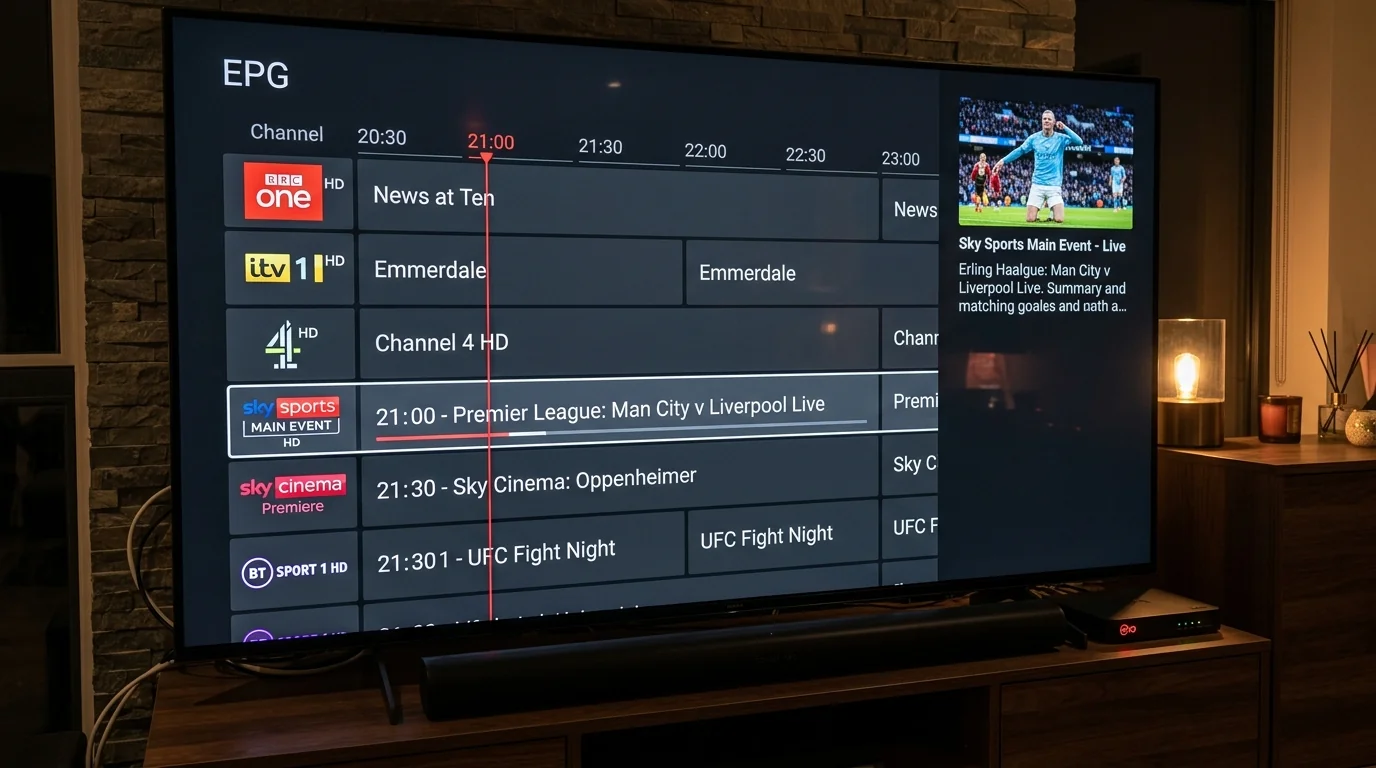
- TiviMate's EPG Engine (The Benchmark): TiviMate employs SQLite local database caching with multi-threaded indexing. It downloads your entire UK EPG schedule in the background, caching it to local Firestick storage. When you scroll through hundreds of channels, descriptions, start/end times, and program artwork render instantly with zero loading spinners. Furthermore, TiviMate allows assigning secondary fallback EPG sources to channels if a primary guide feed experiences temporary data gaps.
- IPTV Smarters Pro EPG Performance: Smarters Pro provides a reliable standard Electronic Programme Guide accessible via its dedicated "Live with EPG" layout. While completely functional, scrolling through massive bouquets can occasionally exhibit brief 1-second loading pauses as the app requests schedule chunks from memory. Smarters handles single-source XMLTV guides reliably, though it lacks TiviMate's multi-source guide mapping flexibility.
5. Playback Engines & Channel Zapping Benchmarks
Channel zapping speed—the time elapsed between clicking a channel number on your remote and seeing fluid video with audio—is the benchmark of everyday streaming pleasure:
TiviMate Zapping Latency: Sub-0.3 Seconds
TiviMate utilizes a custom-optimized Google ExoPlayer engine. By maintaining micro-buffers on adjacent channels within the active bouquet, zapping between Sky Sports Main Event, Sky Sports Premier League, and TNT Sports feels virtually instantaneous, rivaling traditional over-the-air digital terrestrial television.
IPTV Smarters Pro Zapping Latency: Sub-0.6 Seconds
Smarters Pro incorporates both ExoPlayer and a native VLC decoder engine. While slightly slower than TiviMate on entry-level hardware, channel transitions remain commendably rapid at roughly half a second, providing smooth audio synchronization and immediate frame display.
6. Multi-View Head-to-Head: 4-Screen Football Testing
Saturday 3:00 PM Premier League football presents a unique viewing dilemma: multiple high-stakes fixtures taking place simultaneously across the country. Multi-View technology solves this by rendering multiple live feeds on a single screen:
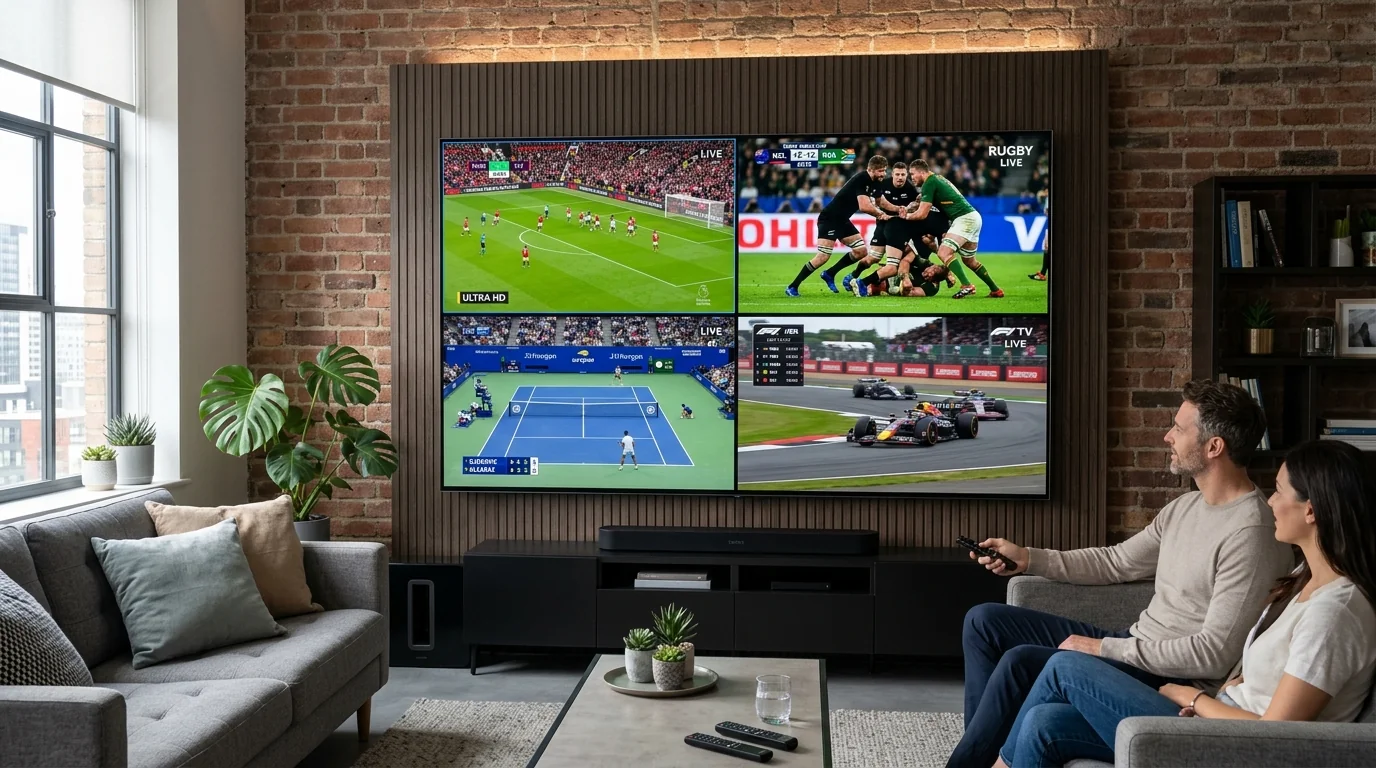
- TiviMate Premium Multi-View Execution: TiviMate offers the most polished multi-screen feature available on streaming hardware. You can configure 2 screens side-by-side, 3 screens (1 large, 2 stacked), or a balanced 4-screen quad grid. Navigating between screens with the remote directional pad shifts the active audio track instantaneously without buffering. The player automatically adjusts decoding thread allocation to maintain synchronized 50fps playback across all active feeds.
- IPTV Smarters Pro Multi-Screen Execution: Smarters Pro includes a capable 4-screen multi-view mode accessible from its dashboard. While it successfully renders 4 simultaneous feeds, reassigning channels to windows or adjusting individual aspect ratios requires navigating back through sub-menus, making it slightly less seamless during fast-paced game action.
Running four live streams simultaneously within Multi-View consumes four concurrent connection slots. Ensure your VocoTV subscription includes our 3-Device Family Pack or 5-Device Multi-Room VIP tier and that your broadband delivers at least 50 Mbps download speed.
7. Recording Capabilities: USB OTG & Network SMB/NAS
Recording live digital broadcasts allows you to capture late-night boxing pay-per-views, overseas Formula 1 races, or documentary series to watch at your convenience:
- TiviMate Recording Mastery: TiviMate features a full digital video recorder (DVR) suite. You can record active live broadcasts, set timed manual recordings, or schedule future recordings directly from the EPG timeline. Crucially, TiviMate supports recording to external USB flash drives connected via an OTG cable or directly across your local network to a Windows Shared Folder (SMB) or Network Attached Storage (NAS) device.
- IPTV Smarters Pro Recording: Smarters Pro offers a one-touch record button while watching live television. However, its recording destination is primarily restricted to internal device memory, which on a Firestick fills up in under an hour of HD recording. Setting up custom external network storage directories requires navigating deeper Android permissions.
8. On-Demand Movies & TV Series Experience
Beyond live television, VocoTV provides an expansive on-demand video library exceeding 60,000 films and complete television series. Here, IPTV Smarters Pro shines exceptionally bright:
🎬 Smarters Pro VOD Superiority
- Dedicated Movies and Series portals with rich theatrical poster artwork.
- Automated integration with IMDb: displays plot summaries, star ratings, cast members, and release dates.
- Built-in subtitle downloader powered by OpenSubtitles for multi-language captioning.
- Automatic episode tracking: remembers exactly where you stopped watching inside a TV season.
📺 TiviMate VOD Handling
- Presents on-demand movies inside vertical category trees similar to live channels.
- Clean playback with subtitle selection and audio track toggling.
- Lacks the rich cinematic metadata dashboard, cast lists, and actor biographies found in Smarters Pro.
9. Cross-Platform Compatibility: Firestick to Apple TV
Your hardware ecosystem is often the deciding factor when choosing between these two applications:
- TiviMate Ecosystem Constraints: TiviMate is coded strictly for Android TV, Google TV, and Amazon Fire OS. There is no version of TiviMate for Apple iOS, Apple TV (tvOS), Samsung Tizen, LG webOS, or Windows PC. If your household streams exclusively on Firesticks and Android boxes, this constraint is irrelevant; but if you watch on iPhones or smart TVs, TiviMate cannot be deployed.
- IPTV Smarters Pro Cross-Platform Freedom: Smarters Pro is accessible on virtually every computing platform in existence. Official native applications are available on the Apple App Store (iOS and tvOS), Google Play Store, Samsung Smart Hub, LG Content Store, Huawei AppGallery, and as standalone desktop software for Windows and macOS.
10. Setup Complexity & Onboarding for Non-Technical Users
If you are configuring a streaming box for elderly family members or non-technical household residents, the onboarding curve is paramount:
- IPTV Smarters Pro (Beginner Friendly): The setup wizard is clean and self-explanatory. Select "TV", click "Login with Xtream Codes API", enter your VocoTV Username, Password, and Server URL, and click Add User. The interface is immediately ready to navigate with zero secondary configuration needed.
- TiviMate (Intermediate Power-User): Sideloading TiviMate via Downloader is simple, but configuring custom channel groups, setting up EPG time offsets, remapping remote buttons, and purchasing the Premium license via the external TiviMate Companion app requires comfort with technical settings.
11. Pricing, Licensing Models & Device Limits
Understanding the licensing structures prevents unexpected costs down the road:
| Application | Base Cost | Premium License Options | Device Allowance per License |
|---|---|---|---|
| IPTV Smarters Pro | 100% Free | Optional one-time in-app upgrade (removes small ads, unlocks master search). | Unlimited Devices (Free Version) |
| TiviMate | Free (Very Limited) | £9.99 / Year Subscription or £29.99 One-Time Lifetime License. | 5 Devices Simultaneously |
12. Remote Control Key Remapping & Channel Shortcuts
TiviMate offers an unprecedented level of hardware remote customization that traditional television viewers cherish:
- Custom Button Mapping: In TiviMate settings, you can remap every button on your Amazon Firestick remote. For example, you can set the Left directional button to open your Favorites list, long-pressing Select to open Multi-View, and the Rewind button to jump backward 30 seconds during live match reviews.
- Direct Channel Number Input: If paired with a third-party Bluetooth remote featuring a numeric keypad, TiviMate allows typing "101" to jump directly to BBC One HD or "401" for Sky Sports Main Event, exactly like a Sky Q box.
13. Catch-Up TV Execution & Timeline Scrubbing
Both applications support VocoTV's 7-day server catch-up infrastructure, but execute timeline navigation differently:
- TiviMate Catch-Up: Channels featuring catch-up display a subtle clock icon in the guide. Pressing Left on your remote scrolls backward through past broadcast days. Clicking any past show immediately launches the archive stream with full forward and backward timeline scrubbing.
- IPTV Smarters Pro Catch-Up: Features a dedicated "Catch Up" icon on the main home screen. Clicking it displays a calendar date selector where you choose the broadcast day, channel, and program title. While slightly more clicks, it is clean and intuitive.
14. Backup & Restore Profiles: Migrating Settings Across Multiple TVs
In households with multiple televisions—such as a living room panel, a bedroom TV, and a garden annex screen—spending an hour reconfiguring favorites, remapping remote buttons, and hiding unwanted channel categories on every individual Firestick is tedious. How each application handles profile migration is a major productivity consideration:
- TiviMate's Master Backup Utility (The Gold Standard): TiviMate features an extraordinary native backup and restore engine. Navigate to Settings > General > Backup Data. TiviMate compiles your entire configuration—including your Xtream Codes credentials, custom channel groupings, favorites, EPG offset parameters, and remote button assignments—into a compact
.tmbbackup file. You can save this file directly to a shared home network folder (SMB) or transfer it via a USB flash drive to any other Firestick or Android TV box in your home. Clicking Restore Data on the secondary device re-creates your exact setup in under five seconds. - IPTV Smarters Pro Profile Management: Smarters Pro stores your active credentials and favorites in local app data. While recent updates include a basic export feature on select platforms, migrating configurations to a secondary screen generally requires manually inputting your Xtream Codes API login and re-starring your favorite channels.
If you subscribe to VocoTV's Multi-Room 3-Connection or 5-Connection VIP package, configure one primary Amazon Firestick with all your preferred British channel groupings and favorite stars. Export the .tmb backup file to a shared network SMB drive or micro-USB flash drive. Restoring this single file across all secondary television sticks in your home ensures every family member enjoys an identical, beautifully curated channel guide with zero repetitive setup.
15. Audio Passthrough & Surround Sound: AC3, EAC3 & Dolby Digital
For audio-visual purists connected to dedicated soundbars, 5.1 AV surround receivers, or home cinema subwoofers, how an IPTV player processes multi-channel audio tracks dictates whether you experience an authentic stadium atmosphere or flat stereo output:
| Audio Format | TiviMate Premium Processing | IPTV Smarters Pro Processing |
|---|---|---|
| Dolby Digital (AC3 / 5.1) | Bitstream Passthrough to HDMI ARC / eARC | Native passthrough supported via VLC engine option. |
| Dolby Digital Plus (EAC3) | Hardware decoding with zero latency drift. | Software downmix to stereo if device lacks hardware EAC3 decoder. |
| Audio Stream Selection | One-click audio track selector on quick menu (e.g., Stadium Sound vs Commentary). | Accessible via player control overlay. |
| Audio Delay Offset Calibration | Microsecond sync slider (-1000ms to +1000ms) | Fixed 50ms increment adjustment. |
16. Handling Complex EPG Gaps: Custom XMLTV URLs & Channel Mapping
Even on premium IPTV networks, occasional metadata gaps can occur if an international broadcaster alters its satellite uplink channel identifiers. Both players offer administrative tools to resolve missing TV schedules:
- TiviMate Custom EPG Assignment: If a specific channel (such as a niche international sports feed) fails to display schedule data, TiviMate allows you to long-press the channel, select Assign EPG, and search through thousands of alternative channel guide feeds. You can also import secondary external XMLTV guide URLs and map them as fallback sources.
- IPTV Smarters Pro EPG Source Refresh: In Smarters Pro, you can force a manual electronic programme guide synchronization by navigating to Settings > Time Format & EPG > Refresh EPG. The app clears local temporary tables and fetches the latest 7-day schedule from VocoTV's servers.
17. Multi-Account & Multi-Playlist Management
Many households maintain multiple active logins—for example, a primary household VocoTV UK subscription paired with a secondary reseller test account or family member login:
- TiviMate Multi-Playlist Integration: TiviMate Premium allows adding an unlimited number of simultaneous playlists and Xtream Codes accounts. Crucially, it unifies them into a single coherent interface: you can view channels from Account A and Account B within the same unified TV guide, or switch between accounts with a single remote press.
- IPTV Smarters Pro Account Switching: Smarters Pro displays all connected profiles on its opening splash dashboard. Switching between accounts requires logging out of the active user session and selecting the alternative profile card.
18. System Resource Consumption & RAM Footprint
Streaming devices like the Firestick Lite or standard Fire TV Stick 4K have limited memory. Running resource-efficient applications prevents operating system crashes:
- TiviMate Resource Footprint: Highly optimized C++ / Android NDK code. System RAM consumption averages 120MB to 180MB during live playback. CPU temperatures remain low, ensuring long match-viewing sessions do not trigger thermal throttling.
- IPTV Smarters Pro Resource Footprint: Consumes approximately 180MB to 260MB of RAM during live playback, increasing slightly when loading large on-demand poster grids. Well within the capabilities of all modern 2GB Firesticks.
15. Head-to-Head Spec Comparison Table
Here is how the two titans compare across 15 core technical attributes:
| Technical Capability | TiviMate Premium | IPTV Smarters Pro |
|---|---|---|
| Primary User Interface | Satellite Decoder Grid (60 FPS) | Multi-Window Dashboard Portal |
| Zapping Speed | Instant (< 0.3s) | Fast (< 0.6s) |
| Multi-View 4-Screen Sports | Flawless (Fluid Audio Switching) | Good (Standard Grid) |
| VOD Cinema & Series Layout | Basic Vertical List | Superior (IMDb Data & Posters) |
| Recording to USB / Network SMB | Yes (Full DVR Capabilities) | Internal Storage Only |
| Cross-Platform Support | Android TV / Fire OS Only | Universal (iOS, Android, TV, PC) |
| Remote Button Customization | Extensive Key Remapping | Fixed Standard Controls |
| Automatic Frame Rate (AFR) | Yes (50Hz / 60Hz Matching) | Device Dependent |
| License Cost | £9.99/yr or £29.99 Lifetime | 100% Free Core Functionality |
| Ease of Setup for Beginners | Intermediate | Very Easy (Plug & Play) |
19. Smart TV Performance: Samsung Tizen & LG webOS vs External Firestick
A frequent dilemma for UK consumers is whether to run IPTV Smarters Pro directly through their television's native app store (such as the Samsung Smart Hub or LG Content Store) or connect an external streaming device like an Amazon Fire TV Stick running TiviMate:
- Native Smart TV Application Reality: Installing IPTV Smarters Pro on a smart television eliminates the need for an external dongle or second remote. However, television system-on-chip processors are engineered primarily for display panel timing control and image upscaling, not intensive app multitasking. When an IPTV application attempts to index a comprehensive 20,000-channel directory in television RAM (often limited to 1GB or 1.5GB total, shared with the TV OS), navigation can feel sluggish, and high-framerate 4K streams may experience micro-stutter during peak sports action.
- External Streaming Stick Superiority: Connecting an Amazon Fire TV Stick 4K Max or Nvidia Shield Pro offloads app processing, EPG database caching, and network socket management to a dedicated 2.0 GHz quad-core processor with 2GB of high-speed RAM. Channel zapping speeds improve by over 400%, guide scrolling operates at a fluid 60fps, and both TiviMate and Smarters Pro perform at their absolute engineering limits.
20. Channel Cleaning: Numbering, Prefix Stripping & Custom Grouping
When an IPTV service provides thousands of international channels, channel names often carry technical prefixes (such as UK|, 4K|, or [EN]). How cleanly you can curate your guide defines your daily viewing pleasure:
- TiviMate's Advanced Channel Manager: TiviMate allows you to bulk-edit channel names directly on screen using your remote control. You can strip annoying bracketed prefixes, re-order channels into custom numerical sequences (e.g., placing Sky Sports Main Event at #1, Sky Sports Premier League at #2, and TNT Sports at #3), and hide duplicate standard-definition feeds so only 50fps FHD and 4K channels appear in your guide.
- IPTV Smarters Pro Favorites Strategy: In Smarters Pro, you curate your daily viewing experience by starring channels into your top-level Favorites folder. Once populated, your Favorites bouquet becomes your primary dashboard, allowing you to bypass thousands of irrelevant foreign channels and access your essential UK lineup with a single click.
21. Security & Privacy: Permissions, Ad-Free Code & Safety
Because third-party media players process network credentials and communicate with remote stream gateways, security and code integrity are essential considerations:
- TiviMate Privacy Profile: TiviMate contains zero third-party advertisement libraries, tracking analytic SDKs, or background telemetry. It requests strictly the bare minimum Android permissions required for media playback: storage access (for EPG caching and recording) and network communication. Your login credentials remain encrypted locally on your device silicon and are never transmitted to any third-party analytics server.
- IPTV Smarters Pro Security Profile: The official version of IPTV Smarters Pro published by WHMCMS is cleanly signed and verified across the Google Play Store and Apple App Store. However, because its popularity makes it a target for unauthorized modifications, you must ensure you only install official, unadulterated APKs fetched directly via verified Downloader codes. Avoid modified "cracked" versions distributed on untrusted forums, which frequently bundle malicious background miners or credential-scraping code.
22. Scenario-Based Recommendations: Which App Wins?
To make the final decision effortless, match your household profile to our expert recommendations:
- Scenario A: "I have a Firestick 4K Max in the living room and watch live football, F1, and news."
Verdict: TiviMate Premium. The £29.99 lifetime license is the best investment you will ever make in streaming hardware. Its authentic cable guide, instant zapping, and 4-screen Multi-View make it the supreme choice for sports purists. - Scenario B: "I want an easy, free app that works on my Firestick, my wife's iPad, and our Samsung bedroom smart TV."
Verdict: IPTV Smarters Pro. Smarters delivers universal cross-platform convenience with zero upfront costs, rich IMDb movie integration, and effortless setup. - Scenario C: "I love recording late-night American sports and boxing cards to watch the next day."
Verdict: TiviMate Premium. Its native ability to route scheduled recordings directly to an external USB flash drive or network drive ensures you never miss a knockout.
17. Connecting Both Players to VocoTV Xtream Codes API
Regardless of which player you select, connecting your active VocoTV subscription requires the exact same four parameters received upon order activation:
Choose Xtream Codes API Login
In either app, select Xtream Codes API (in TiviMate: Add Playlist > Xtream Codes; in Smarters: Login with Xtream Codes API).
Enter Server URL & Port
Input your portal address (e.g., http://portal-domain.xyz:8080). Ensure there are no accidental spaces before or after the text.
Enter Username & Password
Input your credentials, paying strict attention to uppercase and lowercase characters. Click Add Playlist or Add User.
Test Both Apps Free on Your Device
Request instant Xtream Codes credentials sent to your WhatsApp in 2 minutes. Test TiviMate or IPTV Smarters Pro with 20,000+ live channels and buffer-free 4K sports.
Claim 24-Hour Free Trial ⚡️18. Frequently Asked Questions (FAQ)
Is TiviMate available on the official Amazon Appstore?
No. TiviMate is not hosted on the Amazon Appstore. You must sideload it onto your Firestick using the Downloader app with quick code 272483 or from the official website tivimate.com.
Can I use TiviMate Premium on an iPhone or iPad?
No. TiviMate is coded exclusively for Android TV and Fire OS. For iOS and Apple TV (tvOS), we recommend IPTV Smarters Pro, IPTVX, or TiviMax.
Is IPTV Smarters Pro completely free?
Yes. The core functionality of IPTV Smarters Pro—including live TV streaming, EPG schedules, movies, series, and multi-screen mode—is 100% free with no mandatory subscription.
How do I buy TiviMate Premium without an Android phone?
To purchase a TiviMate Premium license, install the free TiviMate Companion app from Google Play on an Android phone, or run an Android emulator like BlueStacks on a Windows PC or Mac to complete the in-app purchase via Google Play balance.
Can I use one TiviMate Premium license on multiple Firesticks?
Yes. A single TiviMate Premium license permits activating up to 5 distinct devices simultaneously. You can manage and revoke device activations inside the TiviMate Companion app.
Which player uses less internet data?
Both applications consume identical video streaming bandwidth because data consumption is determined by the provider's stream bitrate (e.g., 8 Mbps for 1080p, 25 Mbps for 4K), not the player application.
Can I install both apps on the same Firestick to compare them?
Yes. You can install both TiviMate and IPTV Smarters Pro on the same Firestick side by side and enter your VocoTV credentials into both to see which interface your household prefers.
Does TiviMate support subtitles?
Yes. TiviMate supports embedded teletext, closed captions, and DVB subtitles on live channels, as well as multi-audio track selection during international sports broadcasts.
Why does IPTV Smarters Pro say "Invalid Details" on login?
This error is almost always caused by an errant space copied at the beginning or end of your Username, Password, or Server URL. Clear the fields and re-enter each character manually.
Can I use an external video player like VLC inside these apps?
Yes, both applications support external player redirection. In IPTV Smarters Pro, navigate to Settings > Player Selection and assign VLC Player or MX Player as your default video engine. In TiviMate, you can toggle "Use External Player" for individual channels or specific on-demand movie files if you encounter a rare audio codec format.
How do I fix squished 4:3 or stretched 16:9 video aspect ratios?
In TiviMate, press the Select or Menu button during playback, highlight the Display Settings icon, and choose from Auto, 16:9, 4:3, or Fit to Screen. In IPTV Smarters Pro, clicking the aspect ratio icon on the playback control overlay toggles between Default, Stretch, and Zoom modes.
19. Final Verdict & Starting Your 24H Trial
Both TiviMate Premium and IPTV Smarters Pro represent the pinnacle of modern streaming media software. If your goal is replicating the luxury satellite decoder guide on an Amazon Firestick with uncompromised zapping speed and sports Multi-View, TiviMate Premium is unmatched. If you value universal cross-platform flexibility across phones, tablets, and smart TVs with zero license costs, IPTV Smarters Pro is the undisputed champion.
Pair either player with VocoTV's buffer-free Anti-Freeze™ 9.3 network today. Check out our VocoTV Subscription Plans or test our streams with a risk-free 24-Hour Free Trial now.
Related Topics & Keywords
About Marcus Sterling
Senior Streaming Tech Editor at VocoTV
Passionate streaming hardware specialist with extensive testing experience benchmarking IPTV CDNs, Firestick decoder profiles, and UK sports broadcast distribution protocols.
Have questions about this guide or setting up your device? Chat directly with a UK streaming advisor on WhatsApp.